Deckhouse Platform for bare metal
1
Selecting infrastructure
2
Installation information
3
Starting installer
4
Basic installation parameters
5
Cluster parameters and connection setup
6
Installation
7
What can I do next?
Basic installation parameters
-
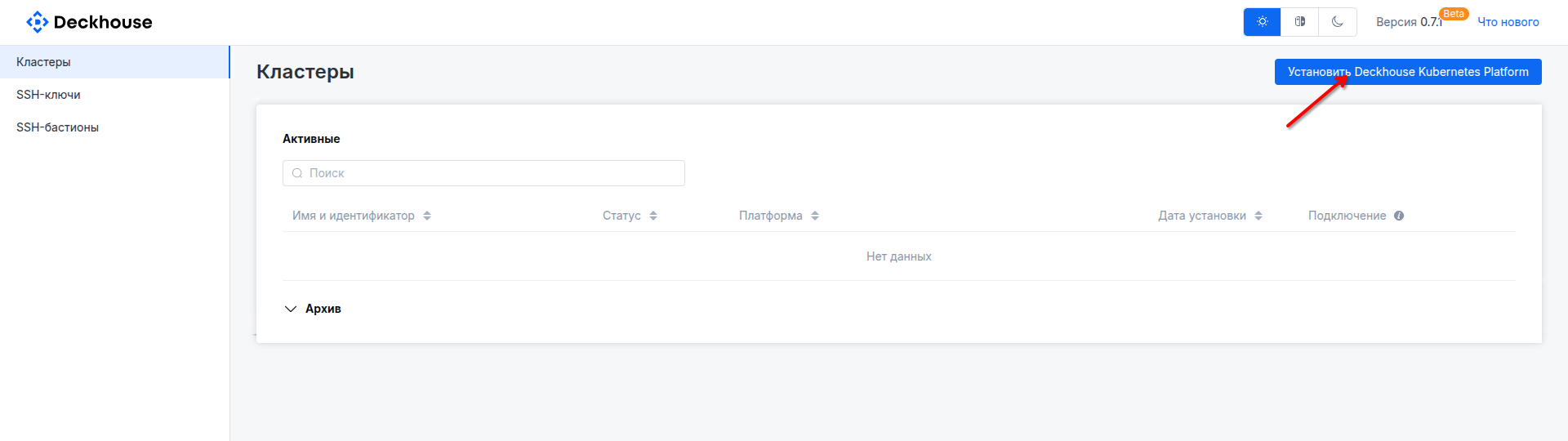
On the home page, click the "Install Deckhouse Kubernetes Platform" button.
-
Select the basic installation parameters:
- Platform edition. Community Edition is selected by default; you can choose the required edition in the "Add source" drop-down list in the center.
If you choose an edition other than Community Edition, enter a name (any value) and the license key you received in the window that opens.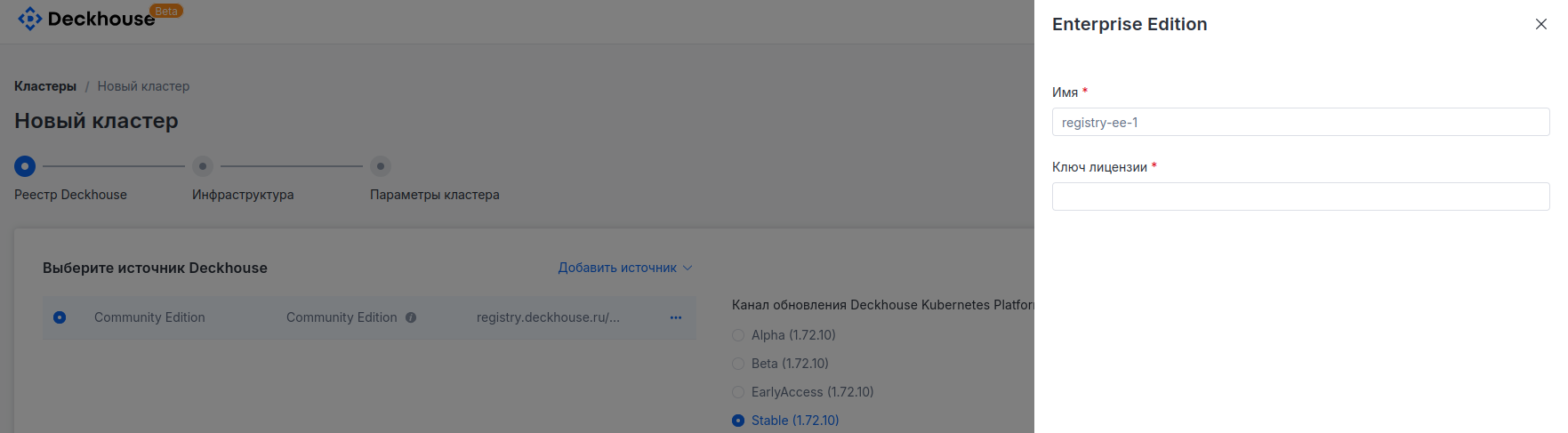
- Deckhouse Platform update channel. Stable is selected by default.
- Kubernetes version. By default, the "Auto" mode is selected, which chooses the currently recommended version.
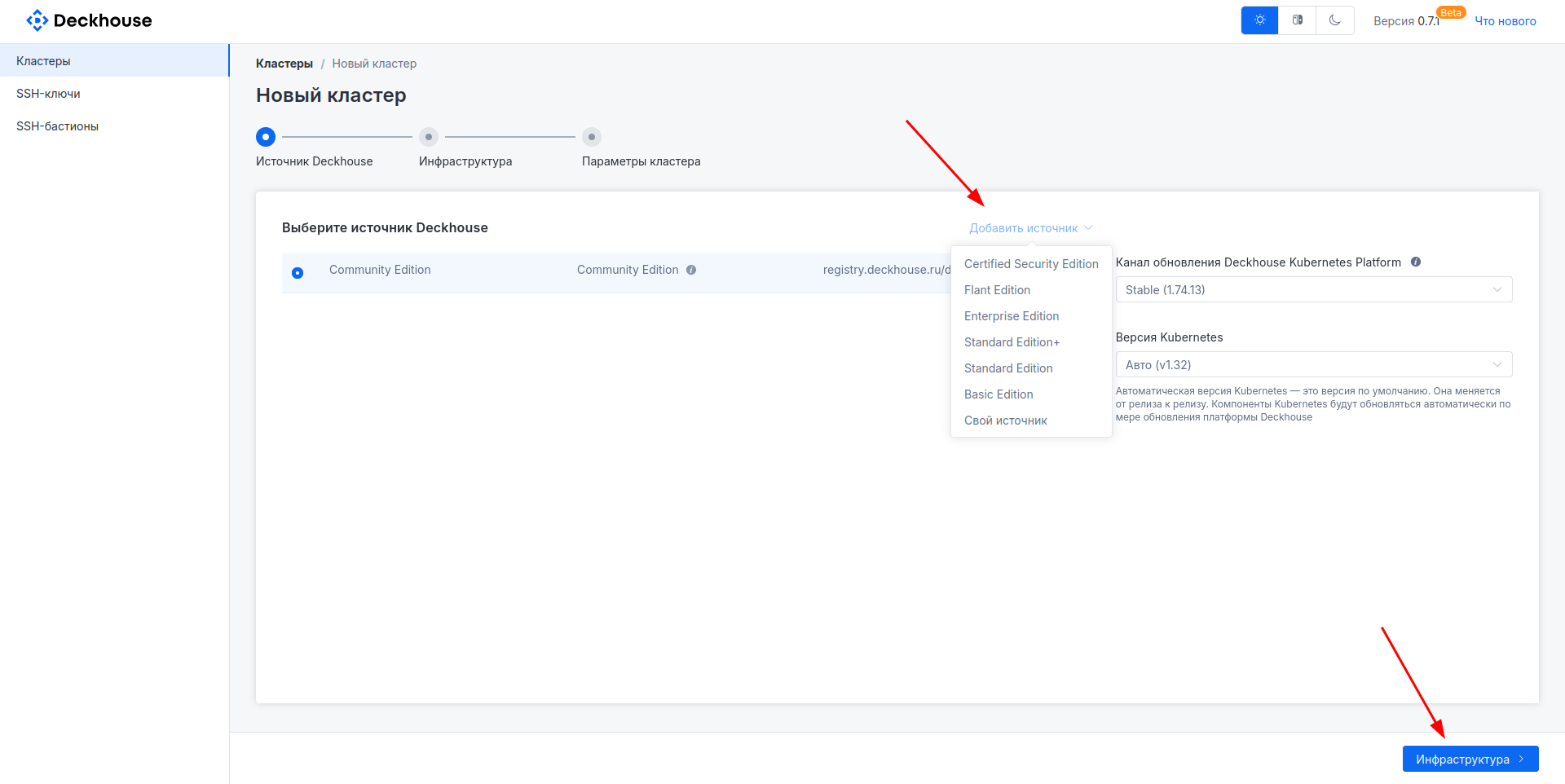
Then click the "Infrastructure" button to proceed to the next step.
- Platform edition. Community Edition is selected by default; you can choose the required edition in the "Add source" drop-down list in the center.